Skip to content
Get KikoMart View Demo

Food ordering + e-commerce in one platform

Build Your Food & E-commerce Business, Your Way.

KikoMart is a complete digital commerce platform designed to help businesses launch food ordering, online shopping, and delivery experiences from one powerful ecosystem.

  • Source code included
  • Your branding, end to end
  • Documentation & updates
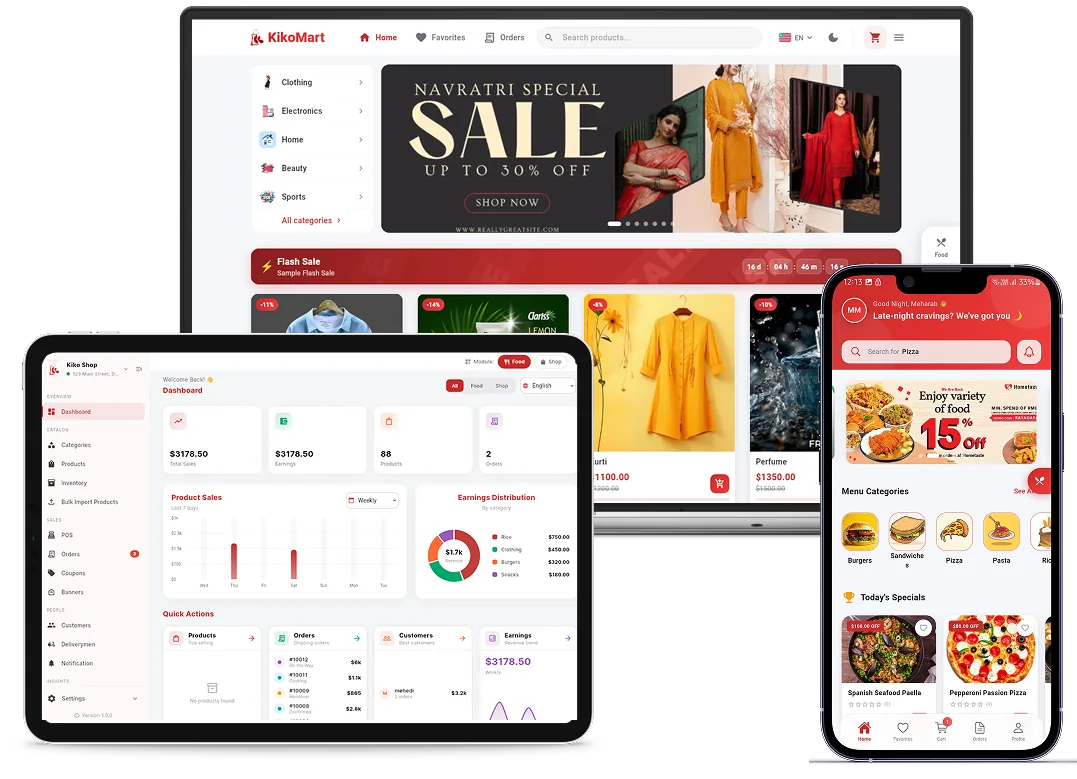
KikoMart web store on a laptop, the store panel dashboard on a tablet and the customer app on a phone, with food ordering and retail products side by side.
One ecosystem
  • Customer app
  • Web store
  • Store app
  • Store panel
  • Delivery app

Product positioning

One Platform. Multiple Business Possibilities.

KikoMart adapts to how you sell. Run a kitchen, run a catalogue, or run both from a single storefront, one order pipeline and one store panel.

Food Ordering

Restaurants, cafés, cloud kitchens and food businesses.

Menus, food categories and add-ons built for kitchens — with order states that follow preparation, pickup and delivery.

  • Menus & categories
  • Add-ons and options
  • Preparation status
  • Scheduled orders
E-commerce

Retail stores, online shops and consumer products.

Product catalogues with variations, stock and discounts — the commerce fundamentals a retail business runs on every day.

  • Product variations
  • Stock control
  • Discounts & coupons
  • Order management

Hybrid Commerce

Businesses selling both food and regular products from one platform.

Run the kitchen and the shop side by side. Customers move between food and products without ever leaving your brand.

  • Shared cart & checkout
  • One customer account
  • Unified order pipeline
  • Single store panel

Product ecosystem

Everything Your Business Needs to Go Digital

Five connected applications share one core. Catalogue, orders, payments and customer accounts stay consistent wherever a customer, your team or a delivery rider is working.

Customer App

Order food. Shop products.

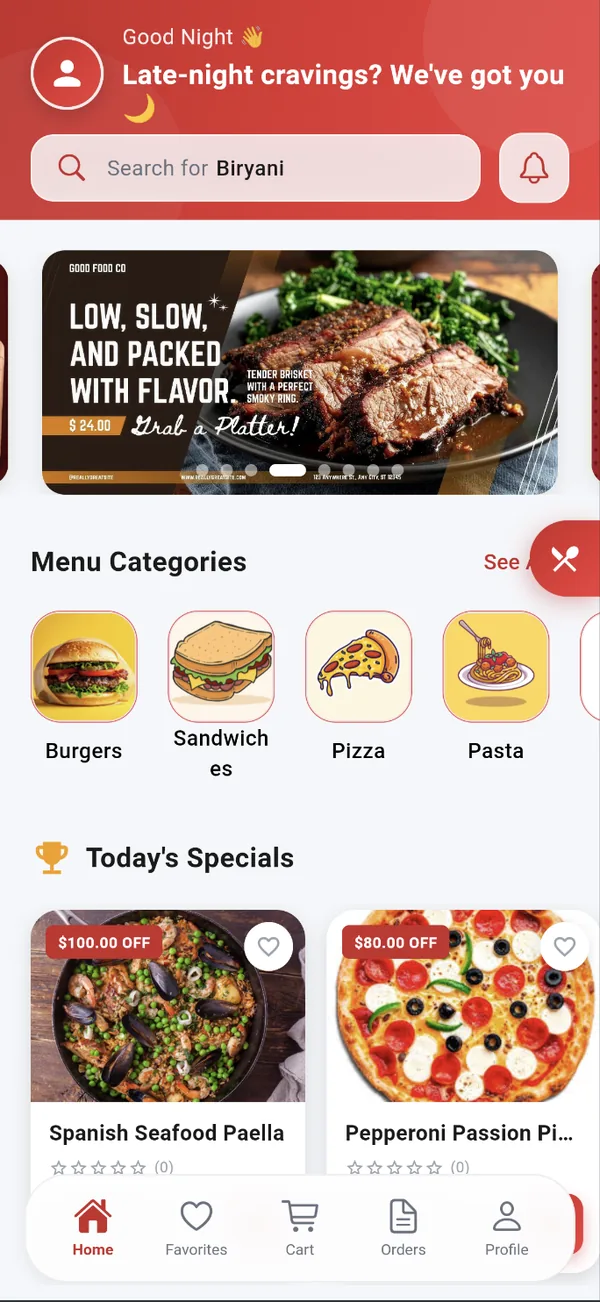
A branded mobile app where customers browse your menu and catalogue, add to one cart, check out and follow the order until it arrives.

AndroidiOS

Store App

Run your store from your phone.

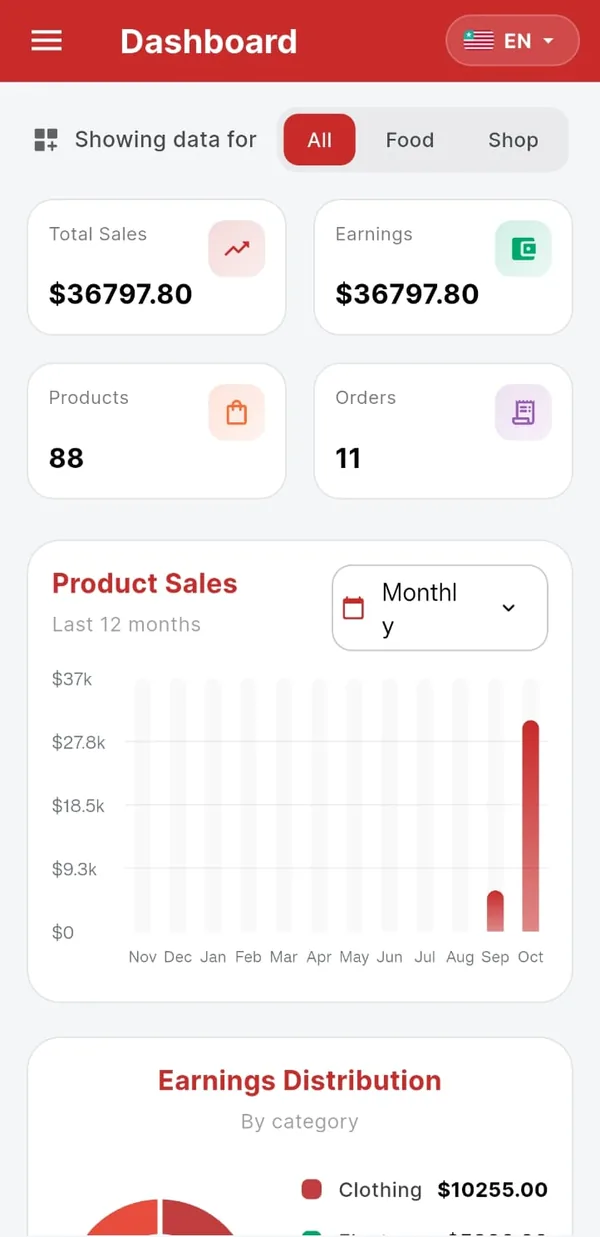
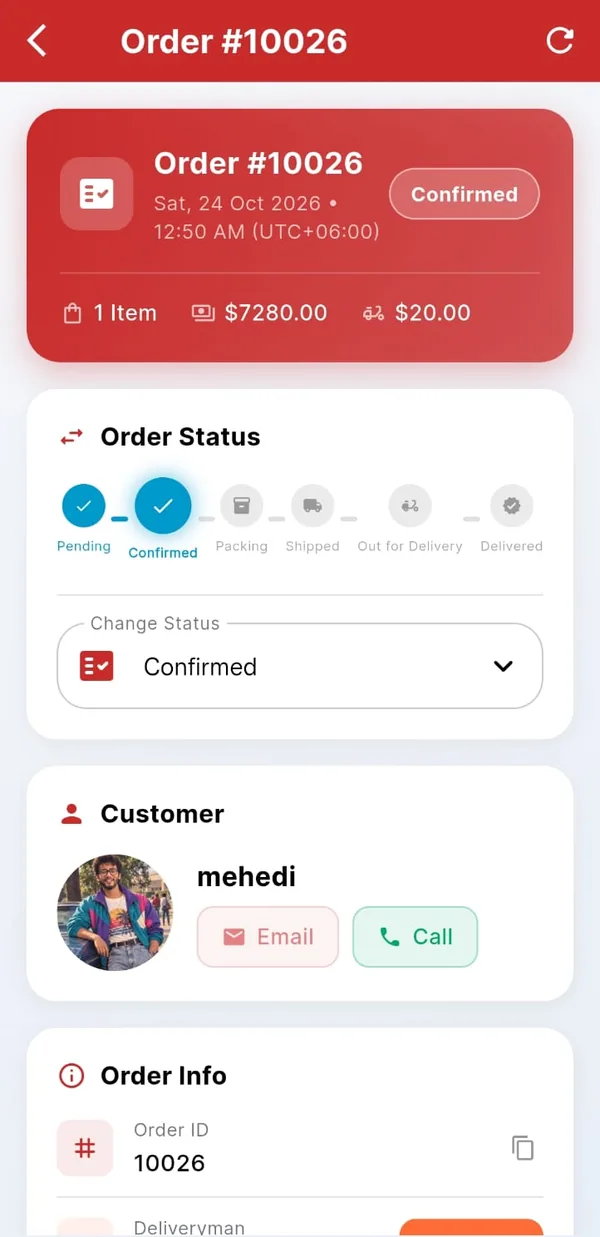
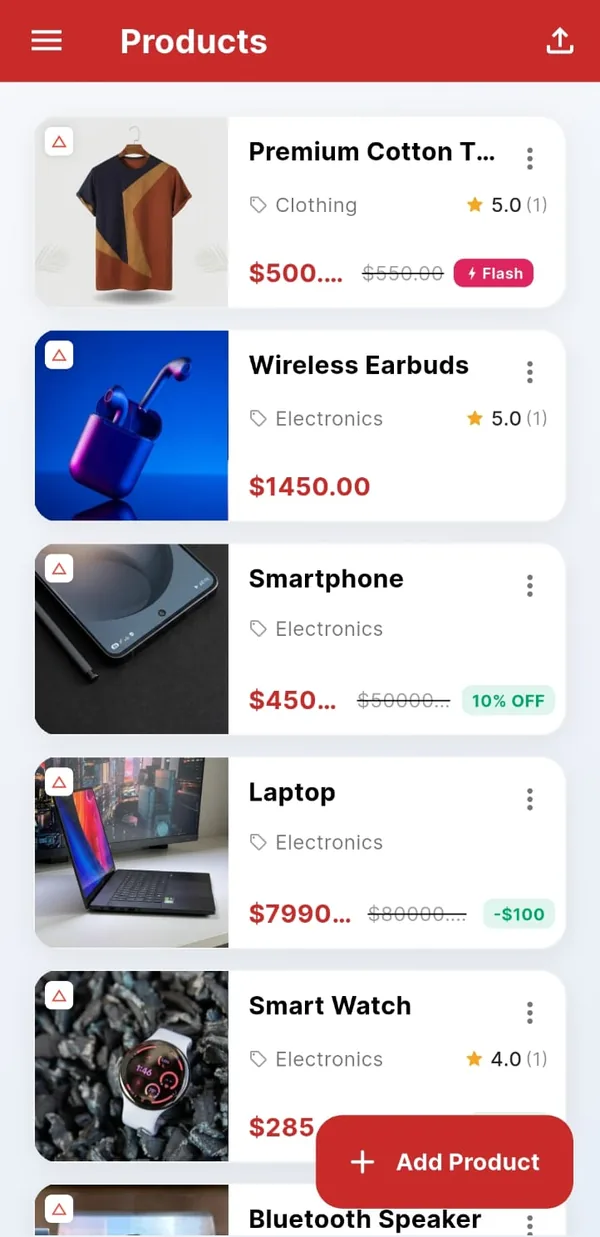
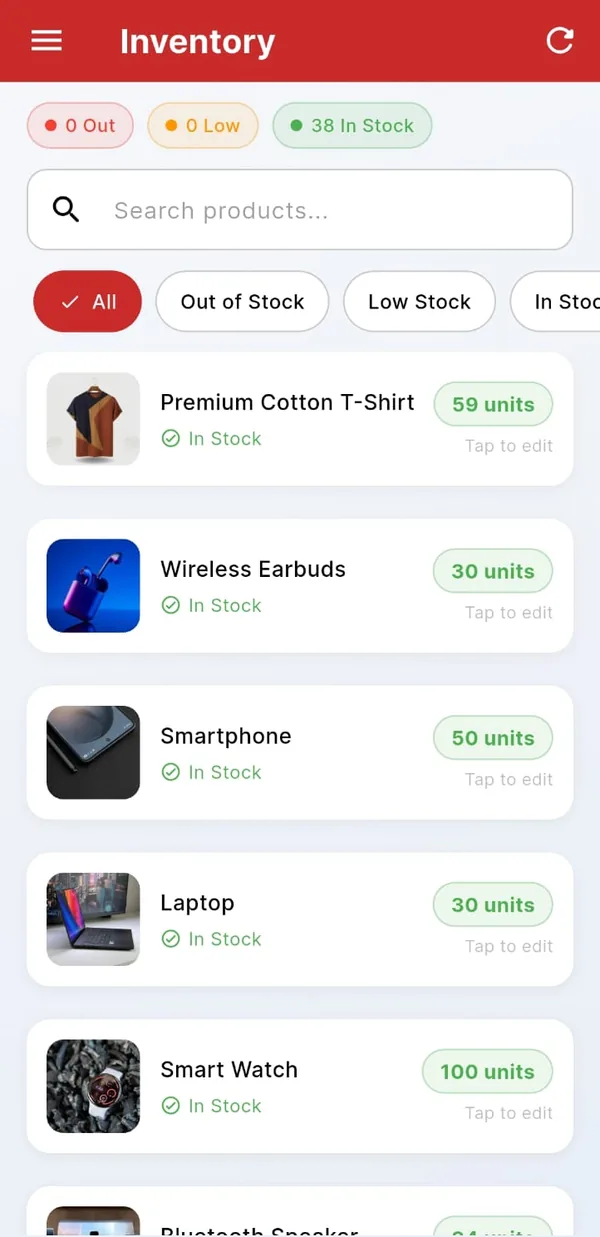
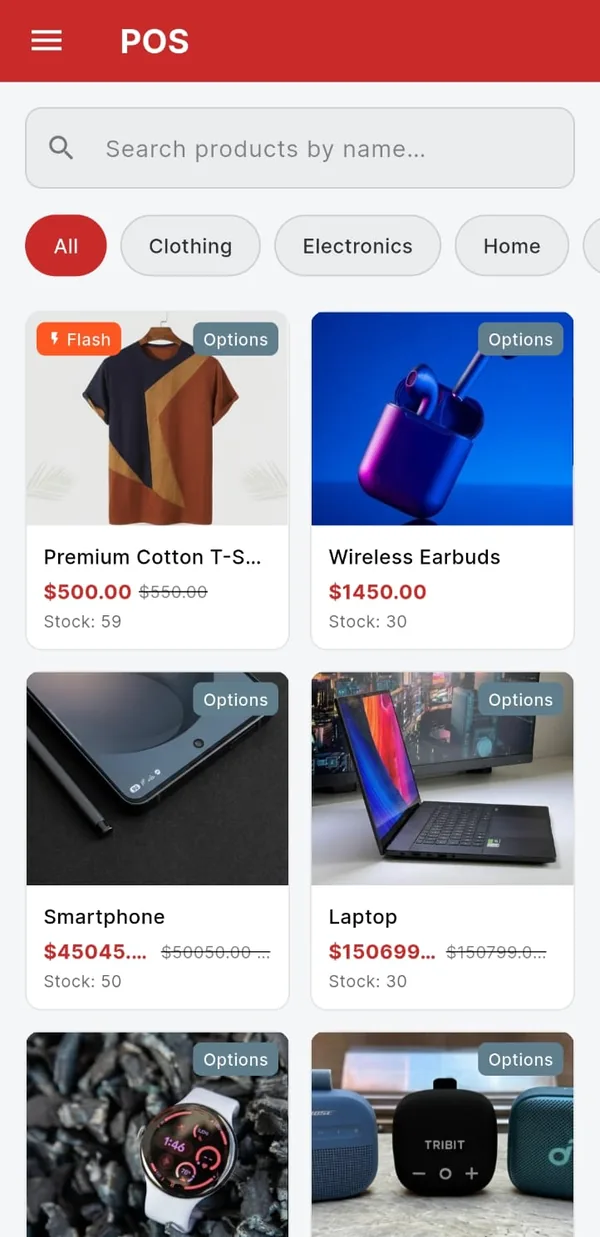
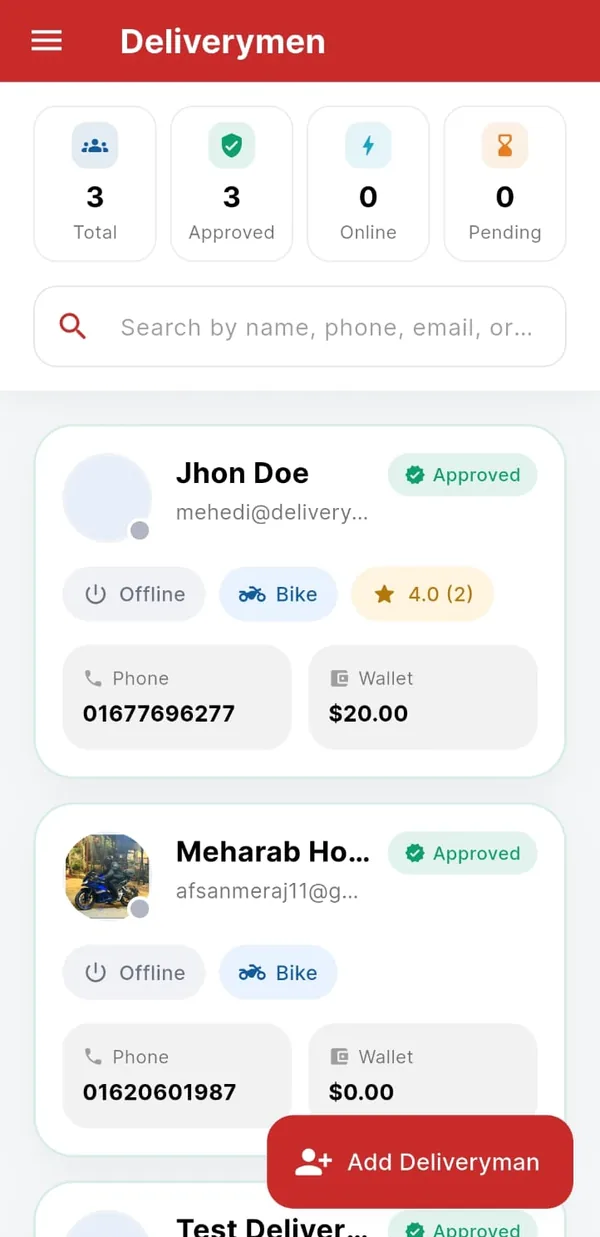
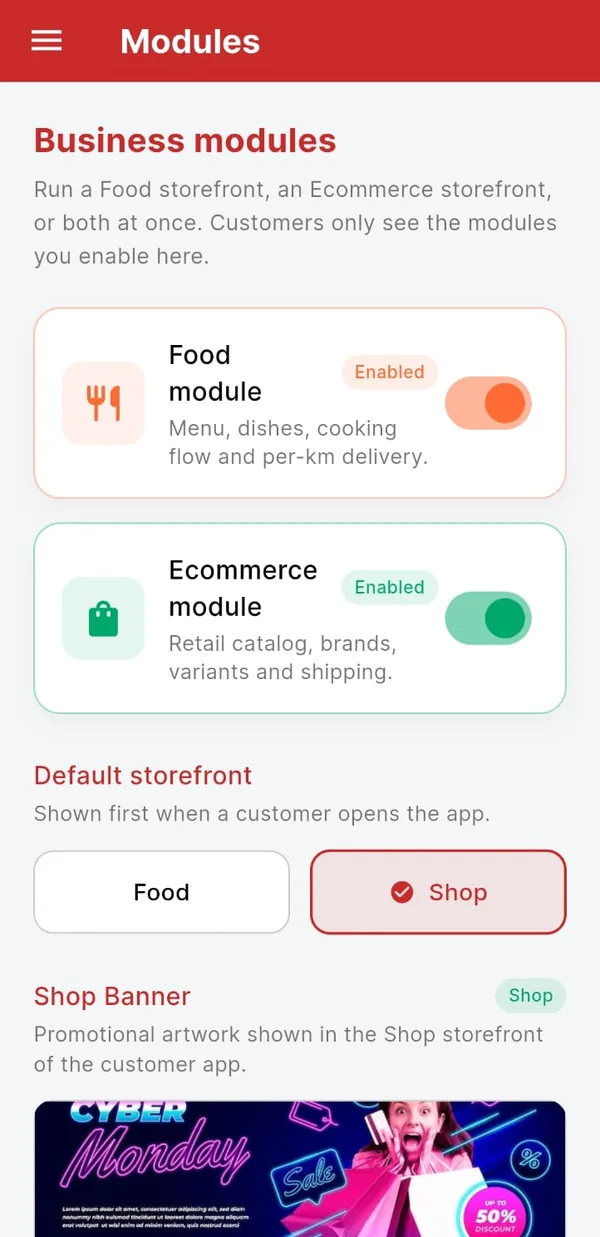
Follow sales across food and shop, move orders through each status, manage products, inventory and POS sales, approve delivery staff and choose which storefronts customers see — without sitting at a desk.

AndroidiOS

Delivery App

Deliveries, assigned and tracked.

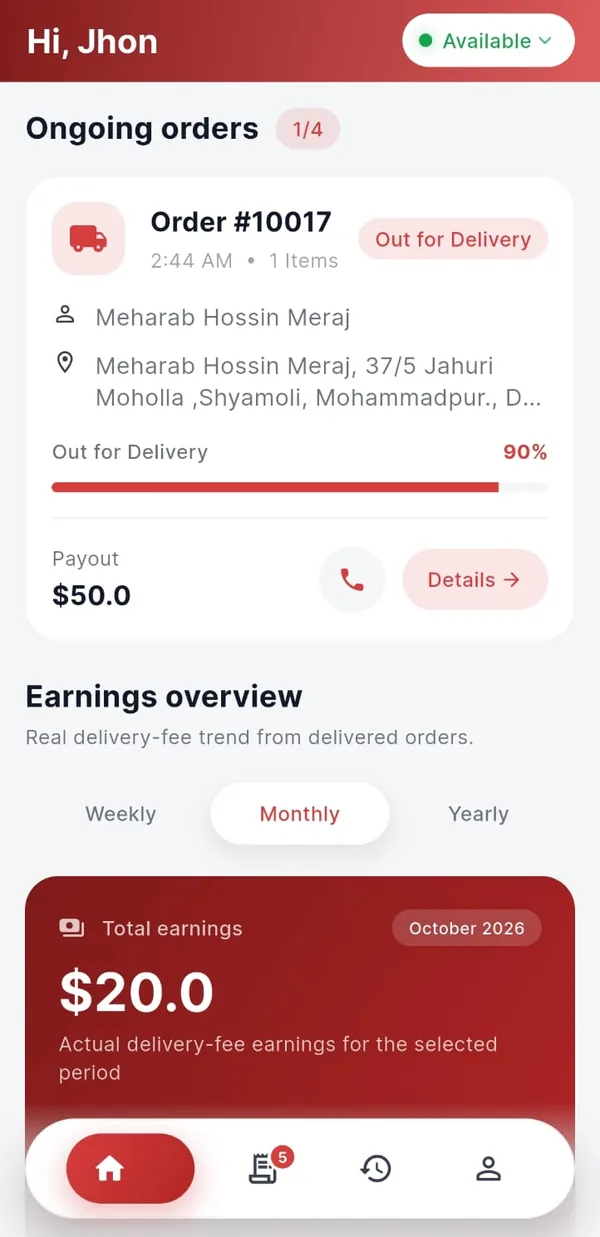
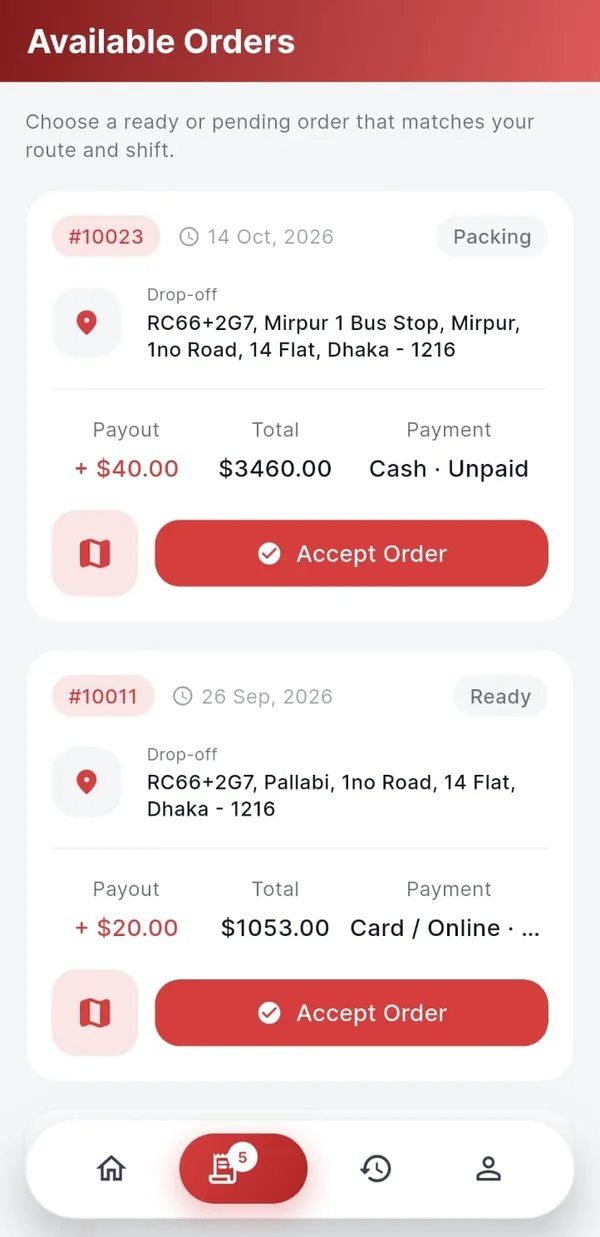
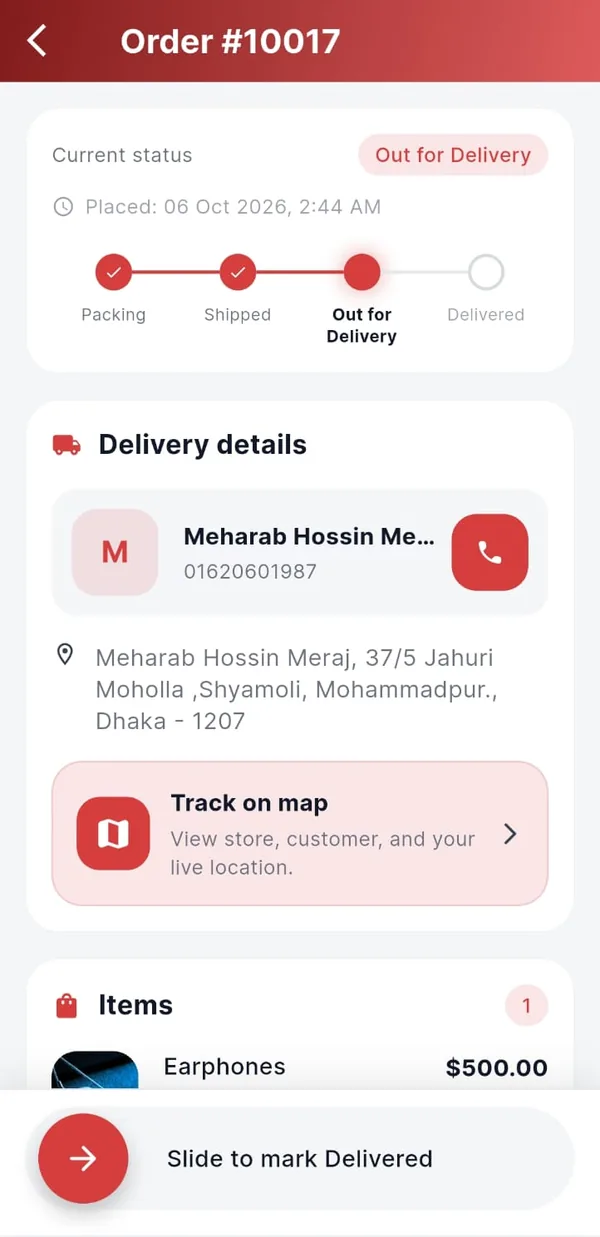
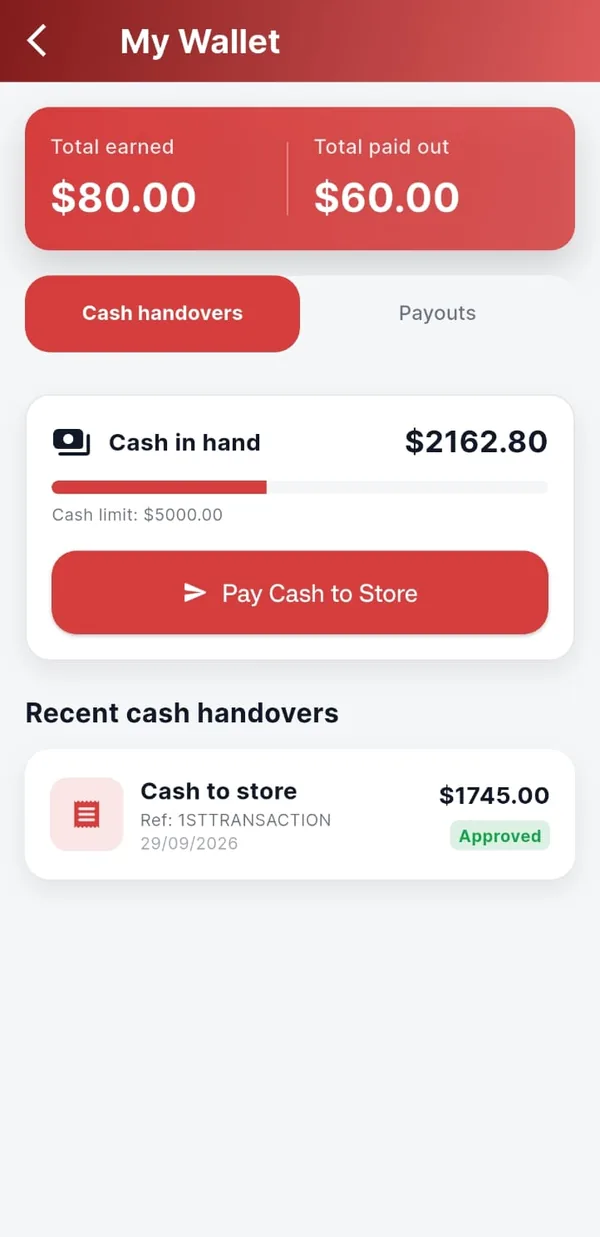
Riders go online, accept available orders with the payout shown up front, follow each delivery on the map, slide to mark it delivered and settle cash with the store from their wallet.

AndroidiOS

KikoMart Core

The shared layer: catalogue, orders, payments, delivery assignment and customer accounts.

  • Catalogue
  • Orders
  • Payments
  • Accounts
  • Delivery

Web Store

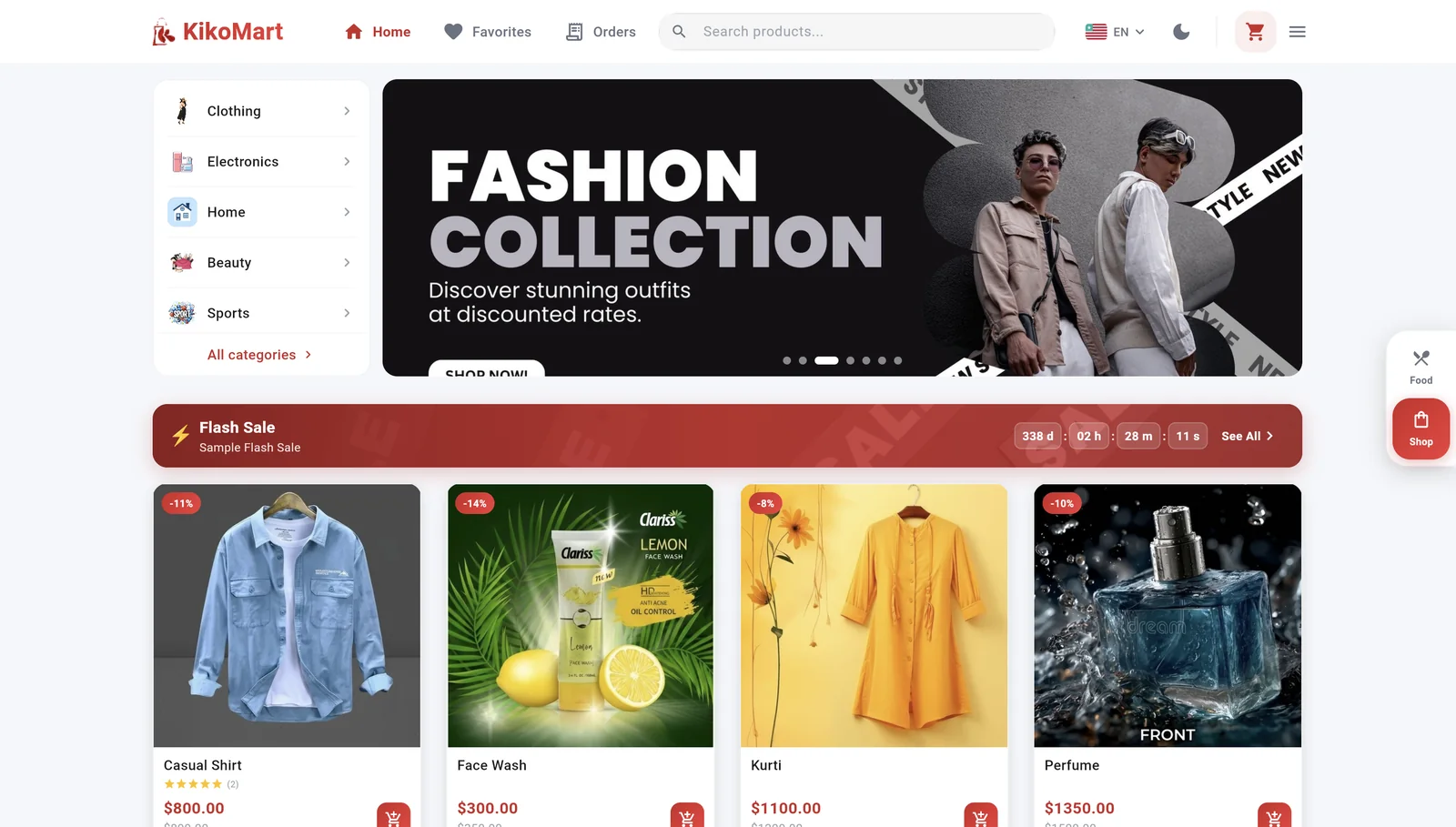
Your storefront on the open web.

A responsive storefront for customers who prefer a browser, sharing the same catalogue, cart and checkout as the mobile app.

Web

Store Panel

Your whole store, in the browser.

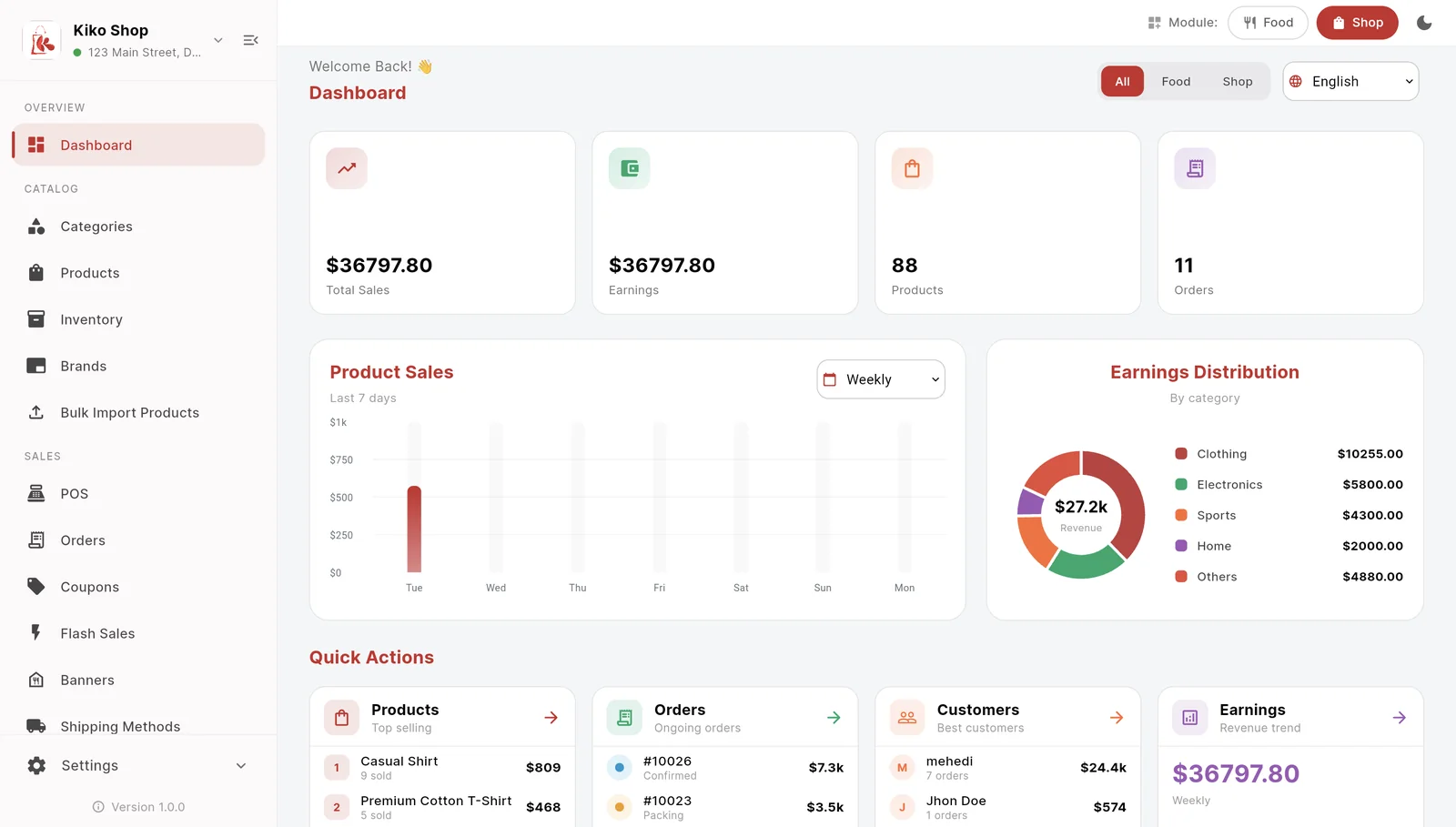
The web panel for your team: catalogue and inventory, orders and POS, coupons and banners, customers and delivery staff, with a sales dashboard on top.

Web

Food + commerce

Designed for Food. Built for Commerce.

Food selling and product selling work differently. KikoMart models both properly instead of forcing one into the shape of the other.

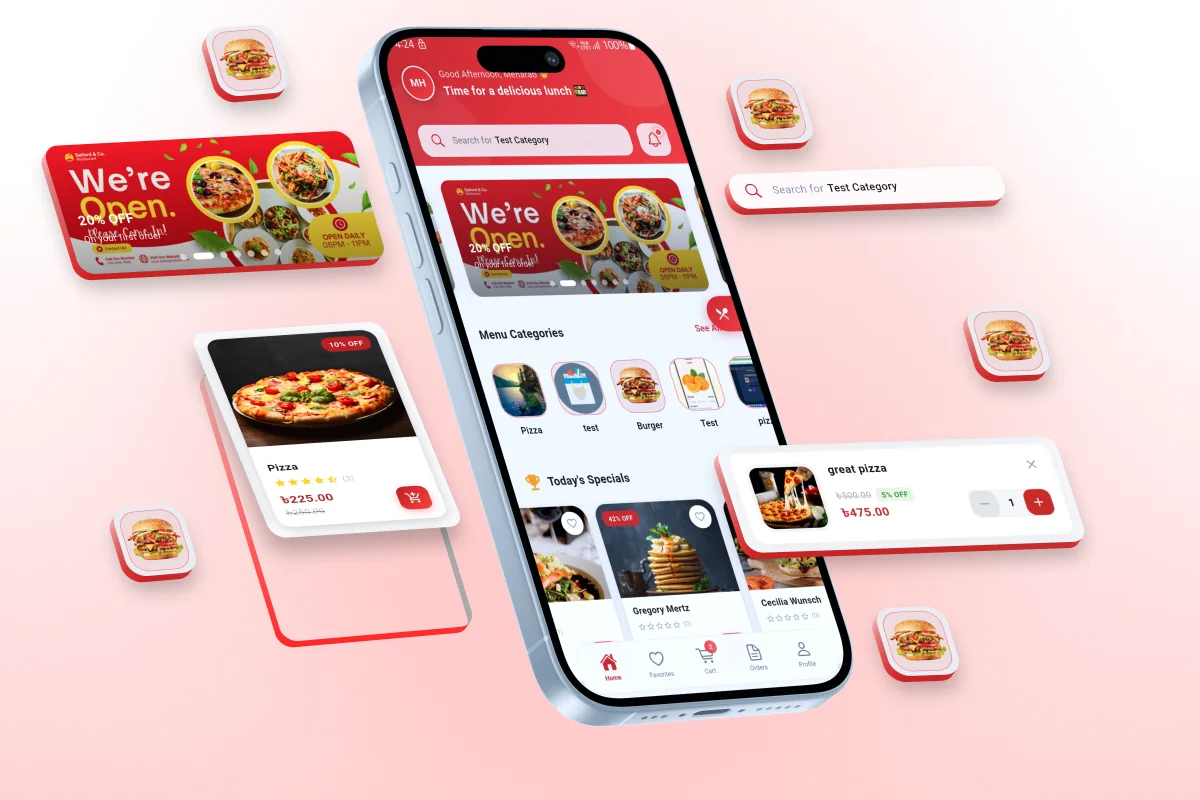
KikoMart food ordering app: restaurant home with promotional banners, menu categories, today's specials, a dish card and a cart item with quantity controls.

Food

For kitchens, menus and time-sensitive orders

  • MenusOrganise what the kitchen sells, with availability you control.
  • Food categoriesGroup dishes so customers find them in a few taps.
  • Add-onsExtras, sides and options attached to the items that need them.
  • Food orderingAn ordering flow that accounts for preparation, not just stock.
  • CartItems, options and quantities collected before checkout.
  • CheckoutAddress, delivery choice and payment in one pass.
  • DeliveryAssignment and status updates from the kitchen to the door.
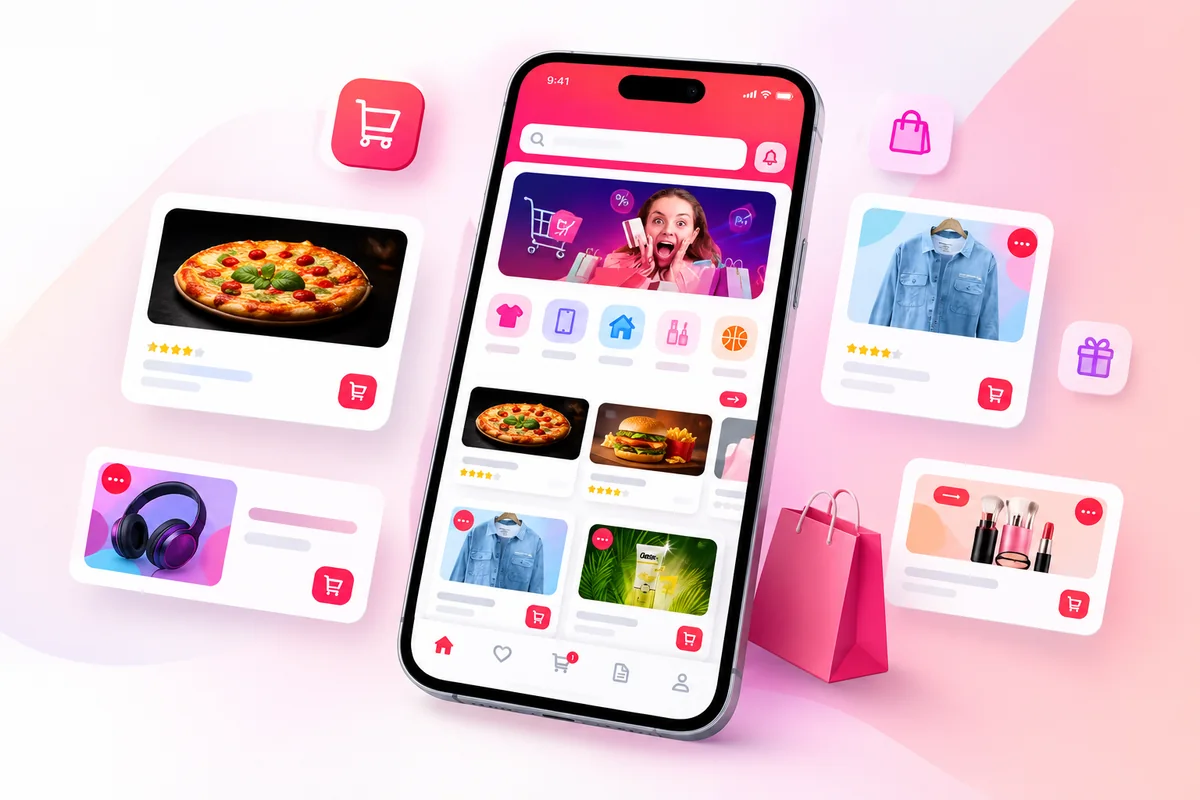
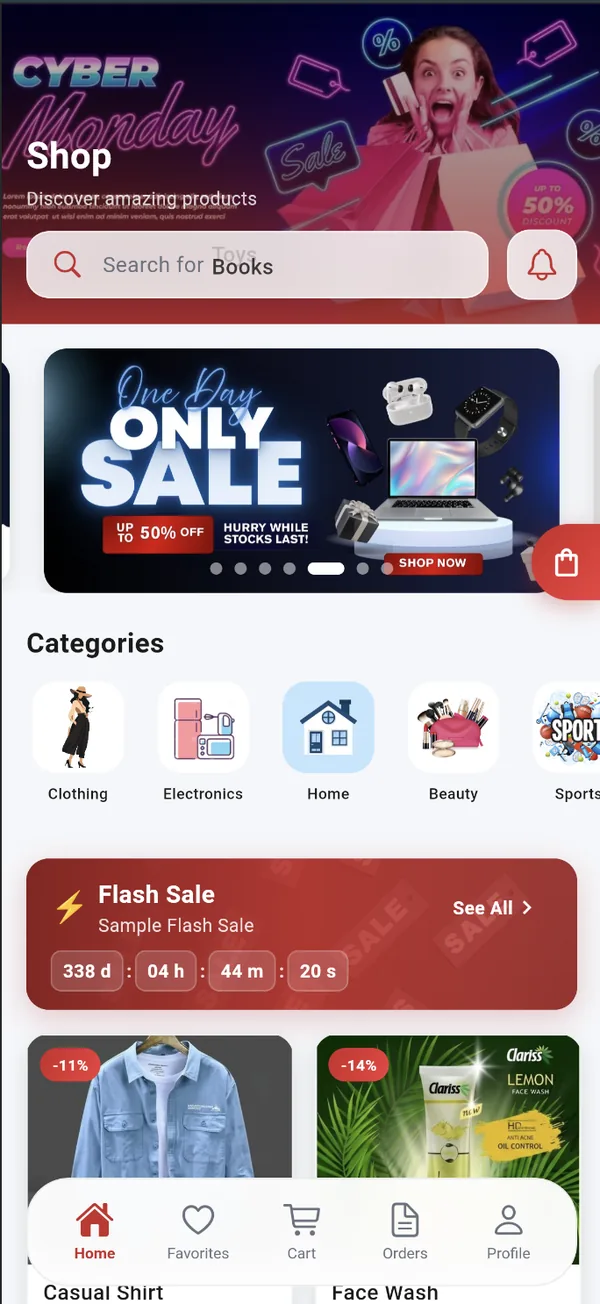
KikoMart shop app: home screen with a sale banner, clothing, electronics, home, beauty and sports categories, and product cards for fashion, headphones and cosmetics alongside food.

E-commerce

For catalogues, stock and repeat purchases

  • ProductsA catalogue with images, descriptions and pricing.
  • CategoriesA browsable structure customers can navigate and filter.
  • VariationsSize, colour and other options handled per product.
  • DiscountsCoupons and price reductions applied where you decide.
  • OrdersA single pipeline from placement to completion.
  • CheckoutThe same checkout your food customers already know.
  • DeliveryThe same delivery workflow, applied to parcels.

One platform. One brand. One customer experience.

Whichever side of the catalogue a customer starts on, they stay in the same app, the same cart and the same checkout — and your team works from one order pipeline.

Applications

A Complete Digital Commerce Ecosystem

Each application is purpose-built for the person using it — and every one of them reads and writes to the same KikoMart core.

Customer App

Order food. Shop products.

A branded mobile app where customers browse your menu and catalogue, add to one cart, check out and follow the order until it arrives.

  • Food & product browsing
  • Single cart and checkout
  • Order tracking
  • Addresses & profile
AndroidiOS

Store App

Run your store from your phone.

Follow sales across food and shop, move orders through each status, manage products, inventory and POS sales, approve delivery staff and choose which storefronts customers see — without sitting at a desk.

  • Sales dashboard
  • Order status control
  • Products, inventory & POS
  • Deliverymen & business setup
AndroidiOS

Delivery App

Deliveries, assigned and tracked.

Riders go online, accept available orders with the payout shown up front, follow each delivery on the map, slide to mark it delivered and settle cash with the store from their wallet.

  • Online / offline availability
  • Accept available orders
  • Map tracking & status updates
  • Wallet & cash handovers
AndroidiOS

Web Store

Your storefront on the open web.

A responsive storefront for customers who prefer a browser, sharing the same catalogue, cart and checkout as the mobile app.

  • Responsive storefront
  • Same catalogue
  • Search & filters
  • Web checkout
Web

Store Panel

Your whole store, in the browser.

The web panel for your team: catalogue and inventory, orders and POS, coupons and banners, customers and delivery staff, with a sales dashboard on top.

  • Sales dashboard
  • Catalogue & inventory
  • Orders & POS
  • Customers & delivery staff
Web

Feature categories

Everything Under Control

Grouped the way you actually run the business — not as a wall of unrelated icons.

Commerce

The catalogue and buying flow shared by food and products.

  • Product & item catalogue
  • Categories and sub-categories
  • Variations and options
  • Stock and availability
  • Search, sort and filters
  • Cart, checkout and order confirmation

Food

What a kitchen needs that a product catalogue does not.

  • Menus and food categories
  • Add-ons, sides and item options
  • Store opening hours
  • Preparation-aware order states
  • Scheduled and later-time orders
  • Per-item availability toggles

Delivery

Getting the order from your counter to the customer.

  • Delivery staff accounts
  • Order assignment
  • Pickup and drop-off details
  • Stage-by-stage status updates
  • Delivery zones and charges
  • Delivery history per order

Payments

Taking money the way your customers prefer to pay.

  • Online payment gateway support
  • Cash on delivery
  • Digital wallet balance
  • Order-level transaction records
  • Refund and cancellation handling
  • Configurable currency and formatting

Engagement

Bringing customers back after the first order.

  • Push notifications
  • Coupons and discount campaigns
  • Promotional banners
  • Ratings and reviews
  • Wishlists and favourites
  • Reorder from order history

Management

Running the store day to day, from the store panel and the store app.

  • Sales dashboard and reports
  • Roles and permissions
  • Customer and staff management
  • Content and policy pages
  • Multi-language configuration
  • Store and business settings

How it works

From Setup to Delivery

Six steps from an empty platform to an order in a customer’s hands.

  1. Step 01

    Set up your business

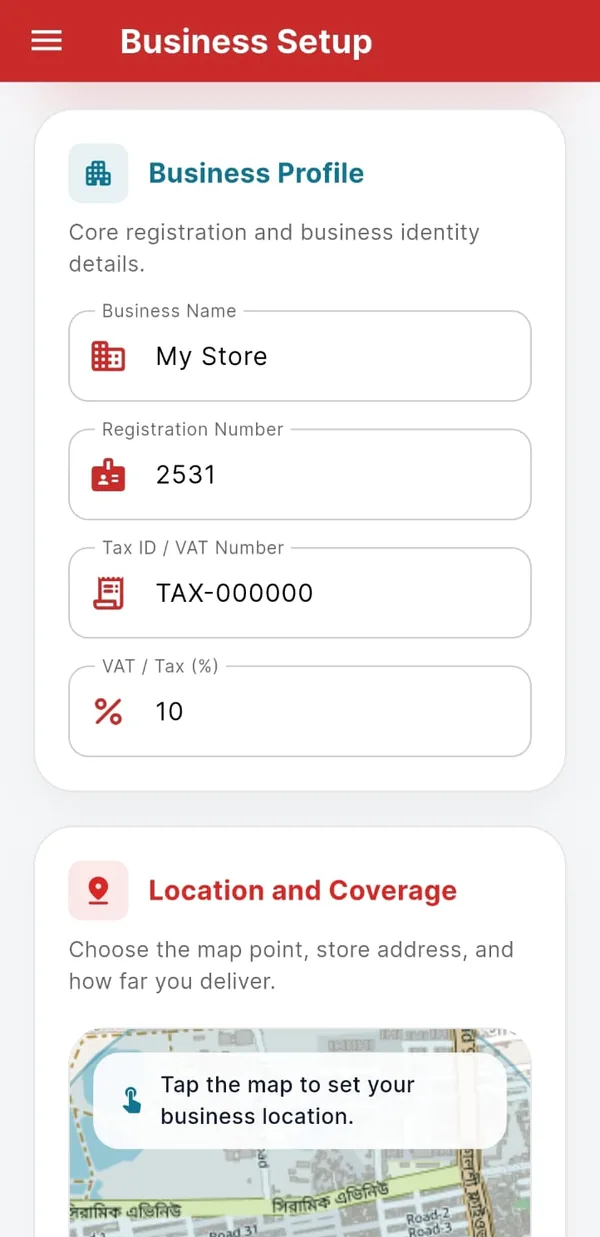
    Add your brand, business details, delivery areas, payment methods and store settings.

  2. Step 02

    Add food and products

    Build menus, categories, product variations and pricing — food, retail items or both.

  3. Step 03

    Customers browse and order

    Customers order from the mobile app or the web store and pay with the method they prefer.

  4. Step 04

    Business receives the order

    The order lands in the store app and the store panel, ready to accept and prepare.

  5. Step 05

    Delivery is assigned

    The order is assigned to delivery staff with pickup and drop-off details attached.

  6. Step 06

    Customer receives the order

    Status updates follow the delivery until it is completed and recorded in order history.

Screenshots

See KikoMart in Action

The same catalogue and the same orders, shown through each application in the ecosystem.

Choose an application to preview

Customer App

Food and products in one branded app, from browsing to live delivery tracking.

Food home
Shop home
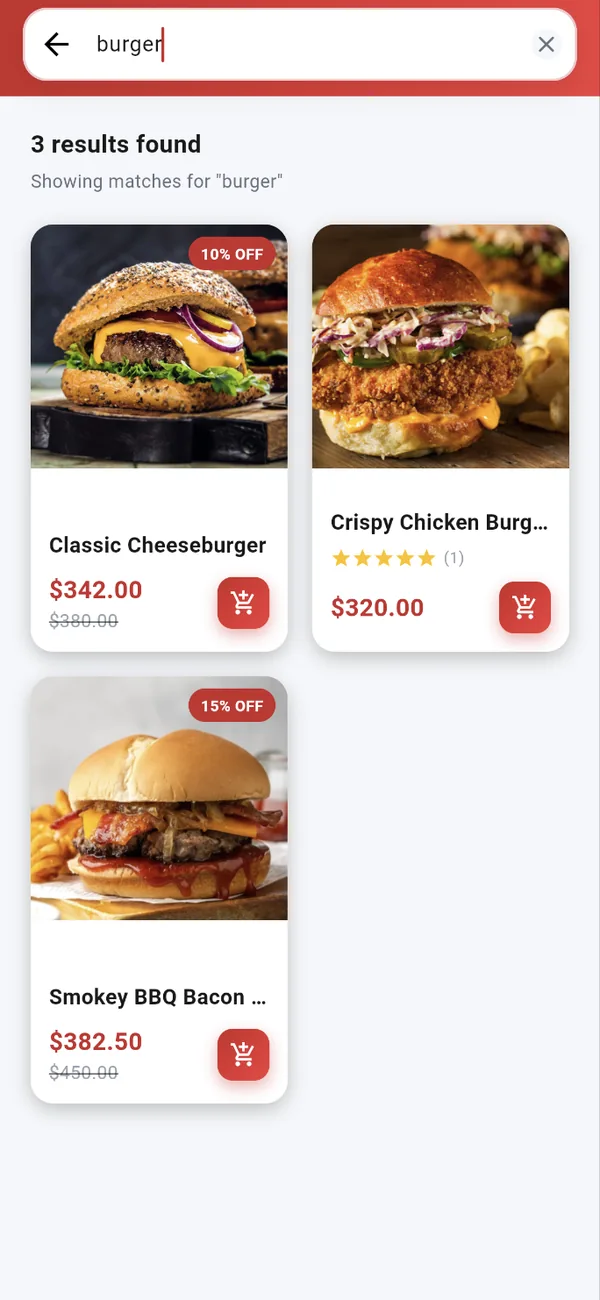
Search
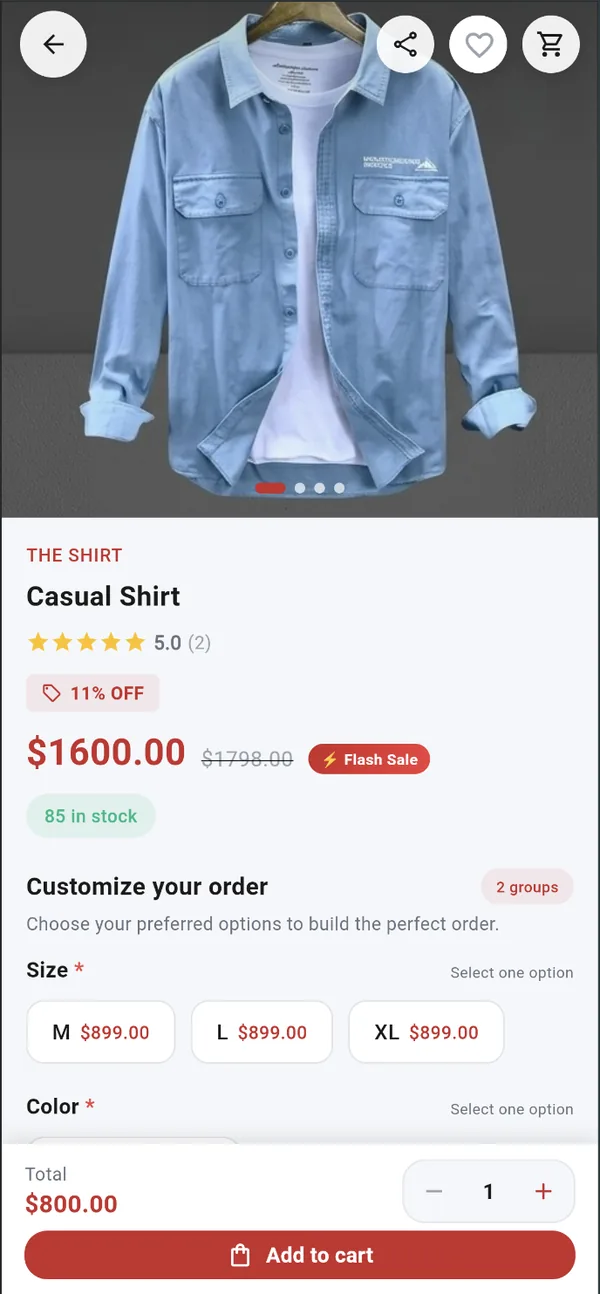
Product details
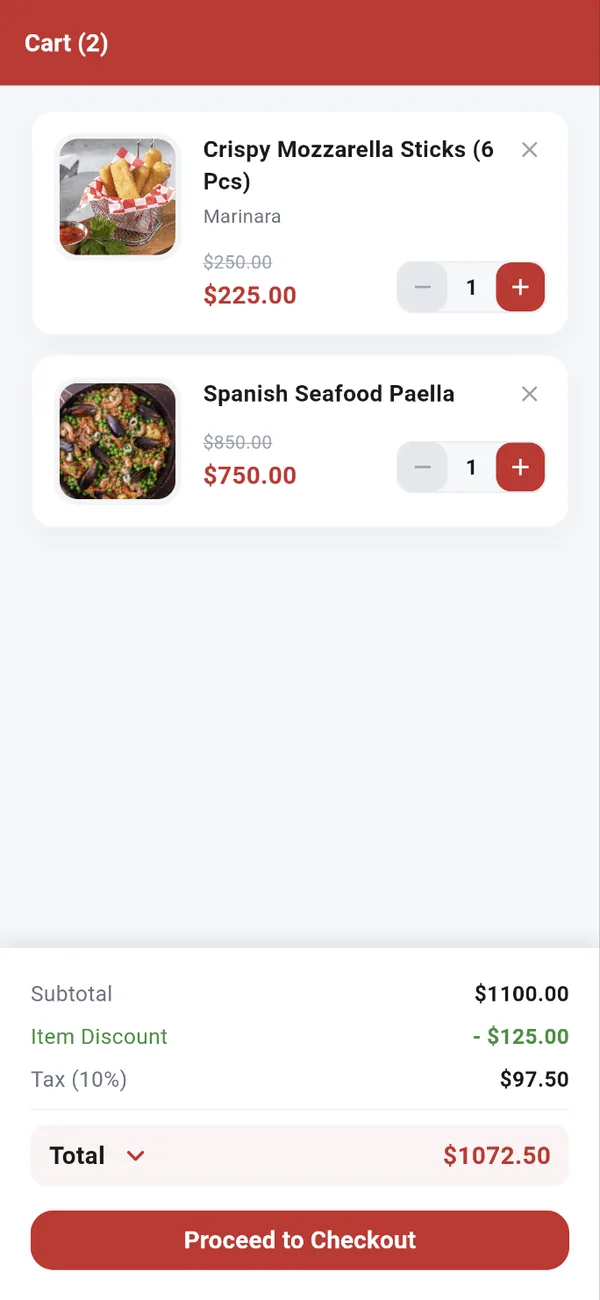
Cart
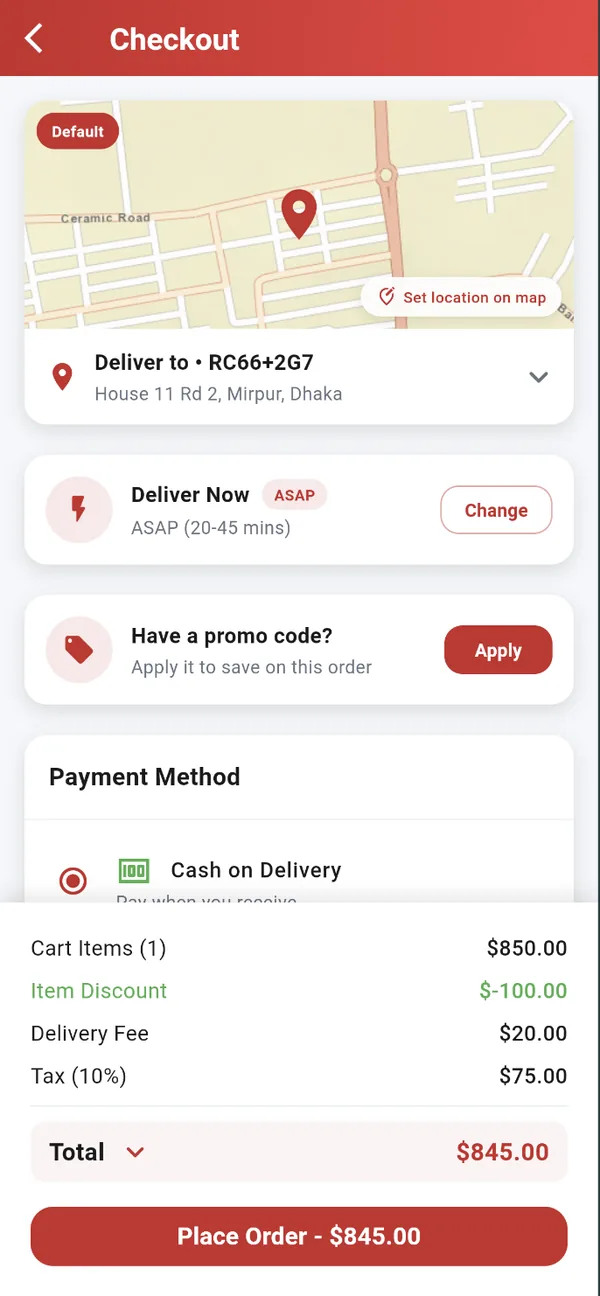
Checkout
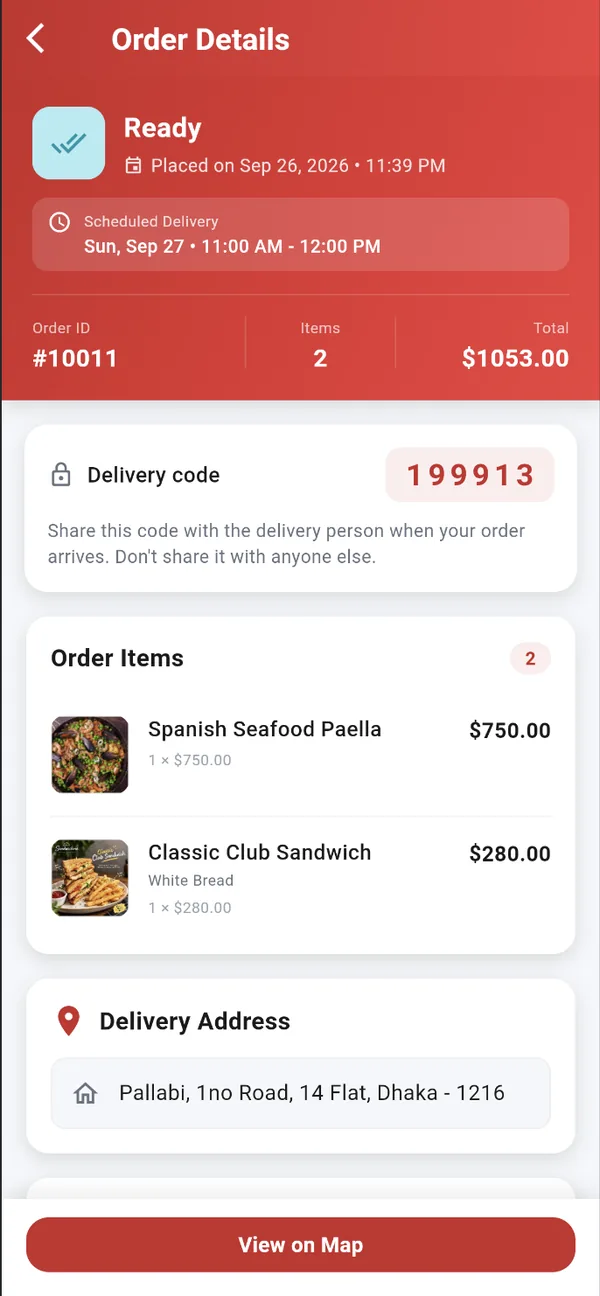
Order details
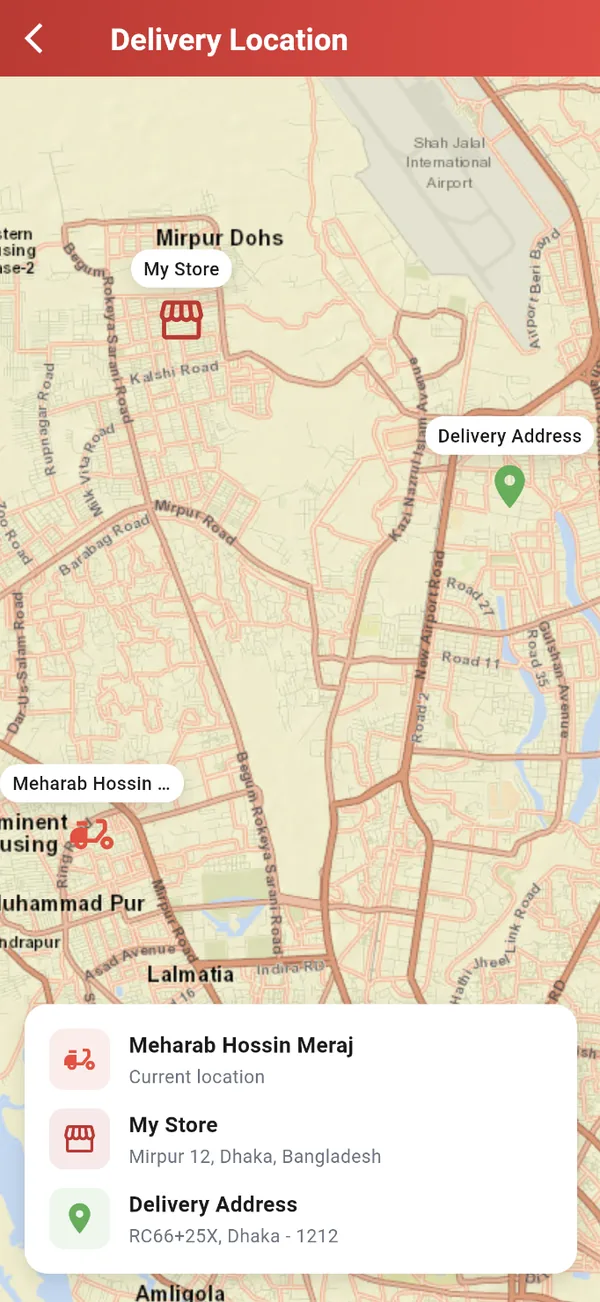
Live tracking
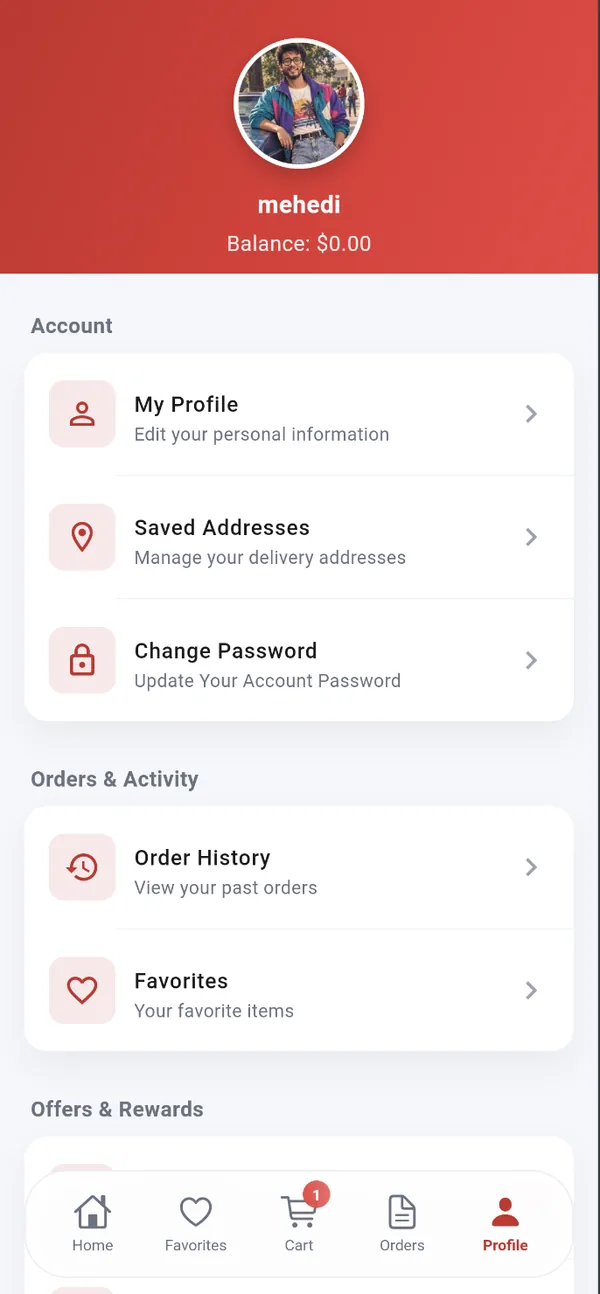
Profile

Scroll sideways to see every screen

Web Store

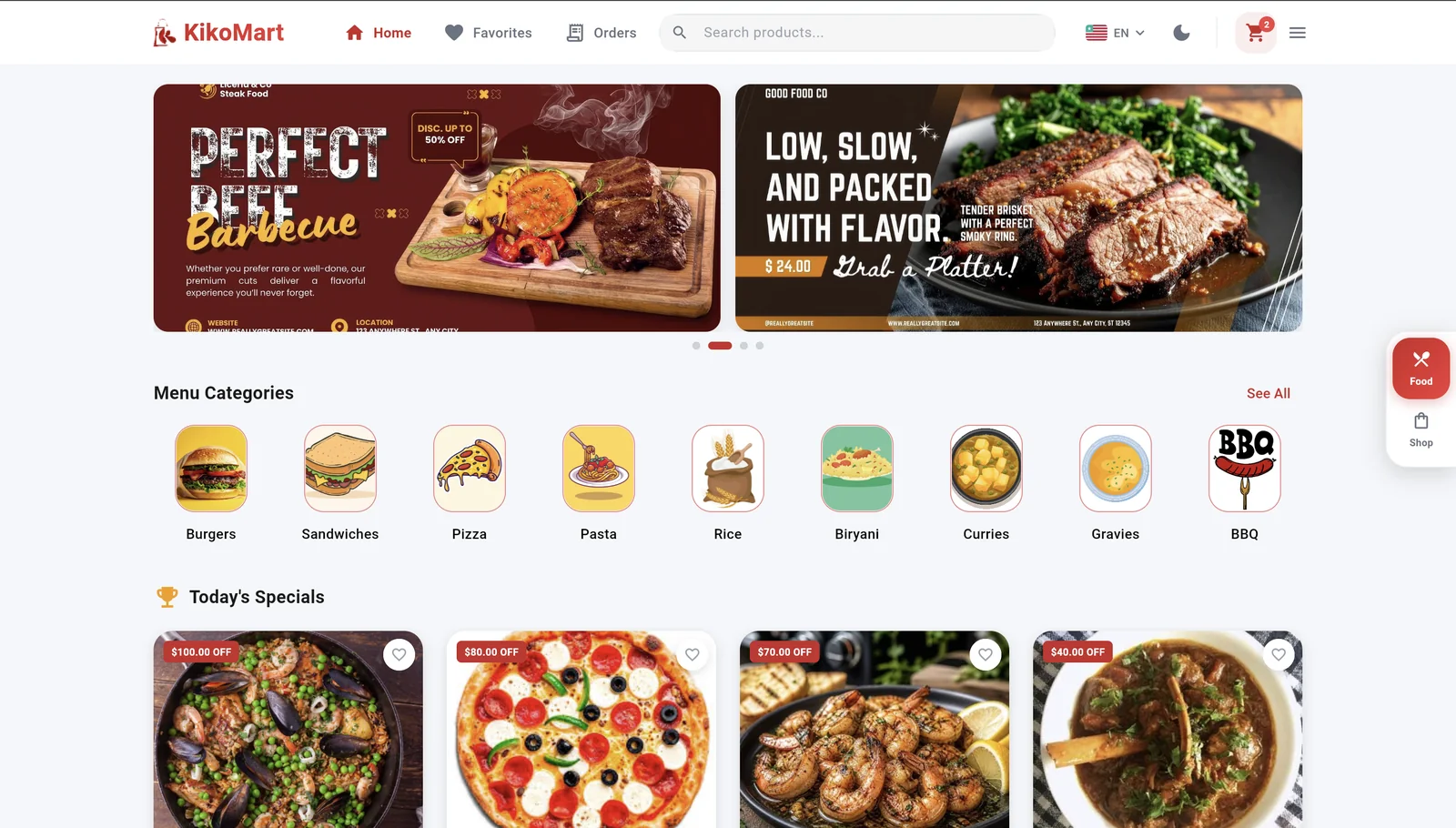
The same food and shop storefronts in the browser, with a one-click switch between them.

Food storefront
Shop storefront

Store App

Sales, orders, catalogue, POS and delivery staff — the whole store, run from a phone.

Dashboard
Order details
Products
Inventory
POS
Deliverymen
Modules
Business setup

Scroll sideways to see every screen

Store Panel

The web panel where your team manages the catalogue, orders, POS and delivery staff.

Dashboard

Delivery App

Pick up orders, deliver them and settle cash — what a rider needs, and nothing else.

Home
Available orders
Order details
Wallet

Scroll sideways to see every screen

Live demo

Try Every App Yourself

Open the web apps in your browser or install the Android builds, then sign in with the demo accounts below to see the customer, store and delivery side of the same orders.

Web

Customer Web App

Browse, add to cart and check out from the browser.

Email
mehedi@gmail.com
Password
12345678
Open web app
Web

Store Panel

Dashboard, catalogue, inventory, POS, orders and delivery staff.

Email
store@gmail.com
Password
12345678
Open store panel
Android APK

Customer App

Food and shop modules, cart, checkout and live tracking.

Email
user@gmail.com
Password
12345678
Download APK
Android APK

Store App

Accept orders and manage the store from a phone.

Email
store@gmail.com
Password
12345678
Download APK
Android APK

Delivery App

Availability, ongoing orders, status updates and earnings.

Email
driver@gmail.com
Password
12345678
Download APK

Demo accounts are shared and the data is public — please do not enter real personal or payment details.

Business solutions

Built for Different Businesses

The same platform, configured differently. Here is how each type of business typically sets KikoMart up.

Restaurants

Take orders directly from your own app and web store instead of depending entirely on third-party marketplaces.

Typical setup

Food catalogue with menus, categories and add-ons; preparation-aware order states; own delivery staff.

  • Menus with add-ons, sides and item options
  • Orders that follow preparation, pickup and delivery
  • Opening hours and per-item availability
  • Repeat ordering from a customer’s history

Retail Stores

Put an existing shop online with a catalogue customers can browse, filter and buy from.

Typical setup

Product catalogue with variations and stock; discounts and coupons; delivery zones and charges.

  • Variations such as size, colour or pack
  • Stock and availability per product
  • Coupons, discounts and promotional banners
  • Order history and reorder

Food + Retail Businesses

Sell prepared food and packaged products from one storefront, one cart and one order pipeline.

Typical setup

A combined catalogue with both item types; shared checkout; one store panel across both sides.

  • Food and products in the same cart
  • One customer account across both catalogues
  • A single order queue for your team
  • Reporting that covers the whole business

Local Delivery Businesses

Coordinate your own delivery staff instead of stitching together phone calls and spreadsheets.

Typical setup

Delivery staff accounts; order assignment; zones and charges; status updates visible to customers.

  • Assign orders to delivery staff
  • Pickup and drop-off details in the rider app
  • Status updates at each delivery stage
  • Delivery history recorded per order

Technology

Built with Modern Technology

A current, well-documented stack your development team — or ours — can work with from day one.

  • FlutterMobile applications
  • DartApplication language
  • Appwrite CloudBackend & hosting
  • FirebaseNotifications & messaging
  • AndroidMobile platform
  • iOSMobile platform
  • WebWeb store & store panel

Customization

Built to Be Customized

KikoMart ships with source code, so the platform can be shaped around your business instead of the other way around.

  • 01

    Your Brand

    Name, logo, colours, typography and imagery across every application and the web store.

  • 02

    Your Business

    Catalogue structure, order flow, delivery setup, payment methods and language configuration.

  • 03

    Your Platform

    Source code you can extend — adjust screens, add features and integrate the tools you use.

  • 04

    Your Growth

    Start with one business model, add the other when you are ready, without rebuilding.

Large changes can be scoped as a Custom plan. Talk to us before you start if you are planning significant changes.

Getting started

Everything You Need to Get Started

Setup is documented step by step, so the first deployment does not depend on guesswork.

Documentation

Written guides covering configuration, catalogue setup, orders, delivery and settings.

Open documentation

Installation

Step-by-step instructions for Appwrite Cloud, your domain, builds and publishing the apps.

Customization

Where to change branding, colours, content and configuration inside the source code.

Updates

Release notes and upgrade guidance so you can move to newer versions deliberately.

Support

Direct help from the team for installation questions and reported issues.

Email support

Pricing

KikoMart Installation Plans

Buy KikoMart once on CodeCanyon, then install it yourself with the documentation — or let our team set up, brand and publish everything for you.

  1. Buy KikoMart on CodeCanyon

    One purchase includes the full source code of all five apps, future updates and 6 months of support from the author, extendable to 12 months.

  2. Pick an installation plan

    Optional. Our team installs, configures and publishes KikoMart for you — or follow the step-by-step documentation and do it yourself.

Essential Setup

The whole platform set up under your brand, with Android APKs to test and share.

$159 one-time installation fee 5–7 working days
Choose Essential Setup
  • Appwrite Cloud project set up and configured
  • Web store and store panel live on your own domain
  • Customer, store and delivery apps configured
  • Your app names, logo, colours and splash screens
  • Push notifications for every app
  • Release builds delivered (APK only)
  • Up to 5 revision rounds

Custom

For changes to the platform itself: features, design or integrations.

Let’s talk quoted per project Agreed per project
Talk to the team
  • Everything in Complete Launch
  • New features and screen changes
  • Custom UI and brand adaptation
  • Third-party and internal integrations
  • Data migration from your current system
  • Ongoing maintenance options

What we need from you

  • Your CodeCanyon purchase code
  • An Appwrite Cloud account and the domain you want to use
  • A Firebase project (we can create it with you)
  • Your logo, brand colours and app names
  • Google Play and Apple Developer accounts (Complete Launch only)

Not included in any plan

  • The CodeCanyon license itself
  • Appwrite Cloud plan and domain costs
  • Google Play ($25 one-time) and Apple Developer ($99/year) fees
  • Payment gateway, SMS and map API charges

FAQ

Questions, Answered

The things buyers ask us before they buy KikoMart.

What is KikoMart?

KikoMart is a digital commerce platform you license and run under your own brand. Customers order from the customer app or the web store, your team runs the business from the store app and the web store panel, and riders use the delivery app — all built on one shared core for catalogue, orders, payments and accounts.

Is KikoMart suitable for food businesses?

Yes. Food selling is modelled directly: menus, food categories, add-ons and item options, store opening hours, per-item availability and order states that follow preparation as well as delivery.

Can KikoMart be used for general e-commerce?

Yes. The catalogue supports products with variations, stock, pricing and discounts, along with search, filters, cart, checkout and order management — the fundamentals a retail business needs.

Can food and regular products be combined?

That is the point of the platform. A hybrid catalogue lets customers put a meal and a packaged product in the same cart, pay once, and follow one order — while your team works from a single order pipeline and one store panel.

What applications are included?

For customers: the customer app (Android and iOS) and the responsive web store. For your business: the store app (Android and iOS) and the web store panel. For riders: the delivery app (Android and iOS). There is no separate admin panel — the store panel is where the business is managed. One CodeCanyon purchase includes all of them.

Is source code included?

Yes. Your CodeCanyon purchase includes the full source code of every app, so your team can build, brand, extend and deploy them.

Can I customize the branding?

Yes. Name, logo, colours, typography and imagery are yours to set across the mobile applications, the web store and the store panel. Nothing ships locked to the KikoMart identity.

Can I customize features?

Yes. Because you have the source code, screens and behaviour can be changed and new features added. If you would rather not do that work yourself, it can be scoped as a Custom engagement.

What technology is used?

The applications are built with Flutter and Dart, and Firebase handles notifications and messaging. The backend, the web store and the store panel run on Appwrite Cloud, where you connect your own domain; self-hosted servers are not supported yet. The mobile apps target Android and iOS.

Is documentation included?

Yes. Written documentation covers installation, configuration, catalogue setup, orders, delivery and settings, plus where to change branding and content in the source code.

Where can I buy KikoMart?

KikoMart is sold on CodeCanyon as a one-time purchase, with a Regular or Extended license depending on how you will use it. Envato's license terms explain which one fits your project.

Can you install it for me?

Yes. Optional installation plans cover everything from setting up Appwrite Cloud and the web apps to publishing the mobile apps on Google Play and the App Store. See the pricing page for what each plan includes.

How do updates and support work?

Your CodeCanyon purchase includes future updates and 6 months of support from the author, which can be extended to 12 months on CodeCanyon. Support covers questions about the item and reported defects; installation and custom development are offered separately.

Get started

Your Business. Your Brand. Your Platform.

Launch a modern food and e-commerce experience without building everything from scratch.